
Quilting
Quilting Templates: Print, Measure and Choose the Right Type
The short answer
Identify the template type, check print scale and confirm the seam allowance. Machine guides also need a matched foot and machine setup.
Last updated October 2026
What's covered7
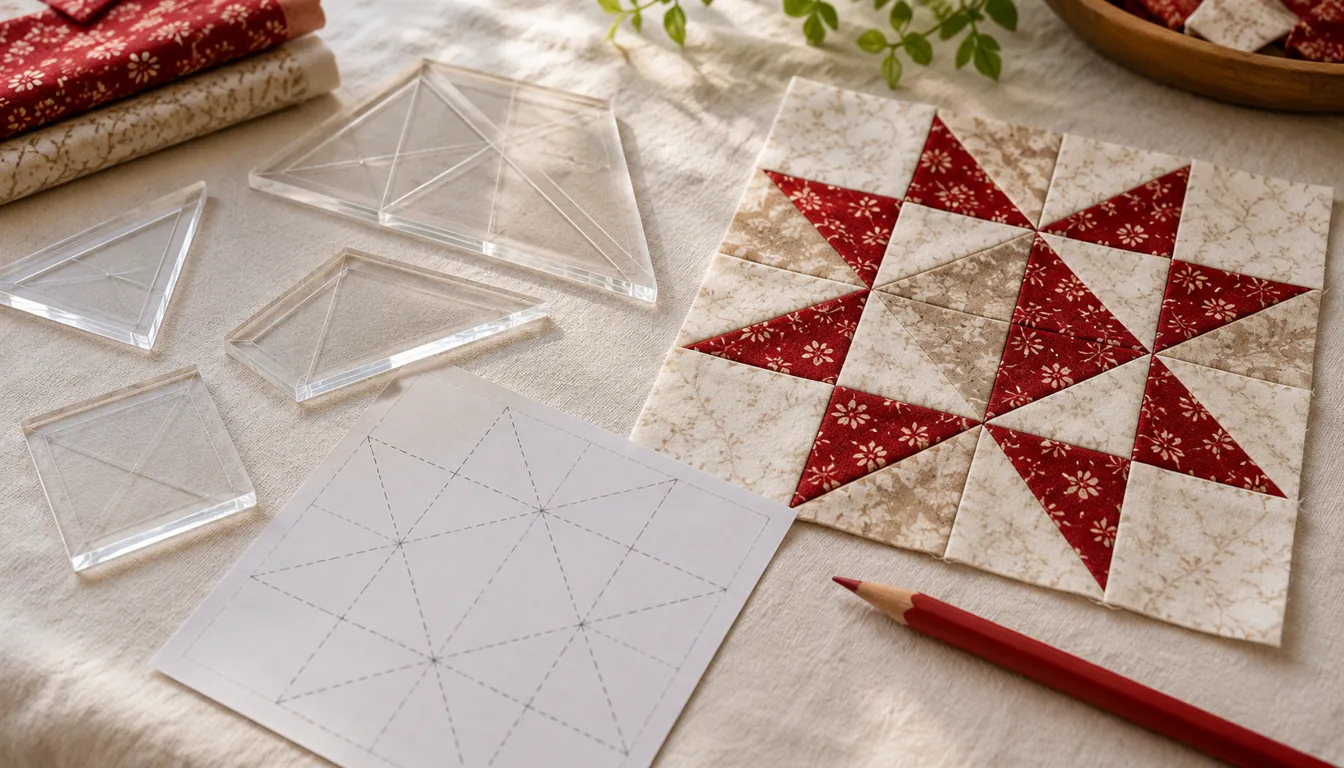
Choose a quilting template by how you will use it. Paper templates let you trace patches, stencils mark stitch paths, and machine guides work with a matching ruler foot. The printable square below shows the cutting outline and finished boundary, with a test square to check your printer's scale.
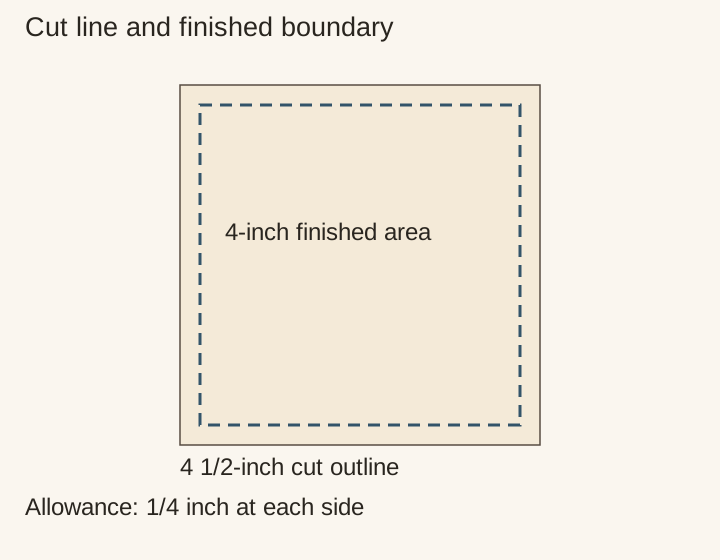
Before tracing the downloadable square, measure both sides of its 1-inch test square. Then check that the patch outline measures 4 1/2 inches each way. If either check is wrong, correct the print settings and print again. The dashed inner boundary marks the 4-inch finished patch; trace the solid outer line for cutting.
Choose quilting templates by their task
A paper cutting template lets you trace the outline of a patch onto fabric. A stencil lets you mark a design for stitching. A thick machine-quilting template guides a ruler foot made to fit it. Check which type a pattern needs before gathering your tools.
Our quilting guide explains the top and finishing layers. For plain squares, you can cut with a ruler using the written dimensions. Use a template when the pattern calls for one, or to trace the same outline or position a motif on several patches.
| Template type | Job | Check before use |
|---|---|---|
| Paper or card cutting template | Trace the patch before cutting | Check whether the outline includes a seam allowance |
| Marking stencil | Transfer a quilted design | Can the mark be removed as directed? |
| Machine ruler template | Guide a compatible foot | Correct foot and template thickness |
Scroll for more →
The Sew Steady template collection shows the machine-ruler category and related setup tools. Read the exact product and machine requirements before choosing a set. A general compatibility phrase is not enough to prove a fit for your machine.
Download the square template and check print scale
Download the square template and print-check PDF. It has a 1-inch test square and a larger patch outline. The patch is a 4 1/2-inch cut square with a dashed 4-inch finished boundary inside it. That difference represents 1/4 inch at each side.
Print using the actual-size setting specified on the page. Measure the 1-inch test square in both directions with a physical ruler. Then measure the outer 4 1/2-inch square. Both checks should match before the paper is used to mark cloth.
Write the measured sizes on the printout and keep it with the project. Repeat the checks whenever you print another copy, especially if you use a different printer or application.
If a 4 1/2-inch outline prints at 4 1/4 inches, it is short by 1/4 inch. That is 0.25 / 4.5 = about 5.56 percent smaller. Adding a guessed seam allowance around the reduced outline will not give the correct finished patch. Fix the print scale first.
Read quilting templates: cut lines and seam lines
A cutting template with allowances already included should not receive another allowance unless its pattern says so. Adding an extra 1/4 inch at every side changes the patch size. A sewing-line template, by contrast, may need the cutting allowance marked outside it.
Trace the solid 4 1/2-inch outer boundary of the square template onto fabric for cutting. Its dashed inner square measures 4 inches. A 1/4-inch seam at each side leaves 4.5 - 0.25 - 0.25 = 4 inches visible in both directions.
For a four-patch made from four copies of this cut square, the finished block is 8 inches. Its unfinished outer size is 8 1/2 inches. When calculating the block size, allow for the seam joining each pair of squares as well as the outer seams.
Make a durable paper pattern for tracing
After the scale checks pass, cut out the paper square neatly. Write the project name, cut size and seam allowance on it for later reference. If you trace it onto card, check the card's dimensions with a ruler before using it on fabric.
Store the template flat and check its edges after repeated use. A curled edge or worn corner can leave an inaccurate outline on the cloth. Check this square with a ruler: all four sides should still measure 4 1/2 inches.
Place the template according to the selected pattern's grain or print direction. If it has a directional arrow, follow that instruction. This simple square has no required print direction, so you can choose how a motif sits inside the dashed inner square.
Match machine templates to their equipment
Machine ruler work needs the right setup. A cutting ruler's thin edge and a general free-motion foot do not prove a safe match. Read the machine, ruler-foot and template makers' instructions together. Stop if the requirements conflict or the exact fit is unclear.
The Sew Steady ruler-foot resources provide a place to start that check. Our quilt ruler guide separates cutting rulers from machine guides. The free-motion quilting page covers the separate skill of moving the layers under the needle.
Use the downloadable square to practice scale, allowances and tracing before choosing a specialty tool. Choose specialty equipment only when a selected pattern and confirmed machine setup call for it.
Use marking stencils with a tested plan
A marking stencil transfers a stitch path rather than a fabric cut edge. Test the chosen marker and removal process on an offcut first. Check the batting directions when planning gaps between quilting lines. The marked design must fit those material requirements.
Read quilt quilting patterns for a paper spacing study. Choose quilting thread for the intended stitch method and test the real layers. Compare beginner quilting machines if you are choosing a machine before buying accessories.
For a complete first top with a written-size cutting plan, use the beginner quilt PDF page. Keep a template file and a written-size pattern clearly labeled so you know which printing checks apply.
Verdict
Use a cutting template to trace patches, a stencil to mark stitches and a compatible machine guide for ruler work. Check printed templates with a ruler before tracing fabric. For machine quilting, confirm the guide thickness and foot requirements in the equipment makers' instructions.
FAQ
Do quilting templates include seam allowances?
Check the pattern to see which lines to use. The downloadable square here has a solid cutting line 1/4 inch outside the dashed finished boundary.
Can I resize a quilt template on a printer?
Printing at a different scale also resizes the seam allowance. For a larger or smaller patch, calculate its finished dimensions and add the seam allowance, or follow a pattern written for that size.
Can I use a cutting ruler as a machine quilting template?
Use only equipment the machine and ruler-foot makers specify for that method. A thin cutting ruler is not proof of a compatible machine guide.