
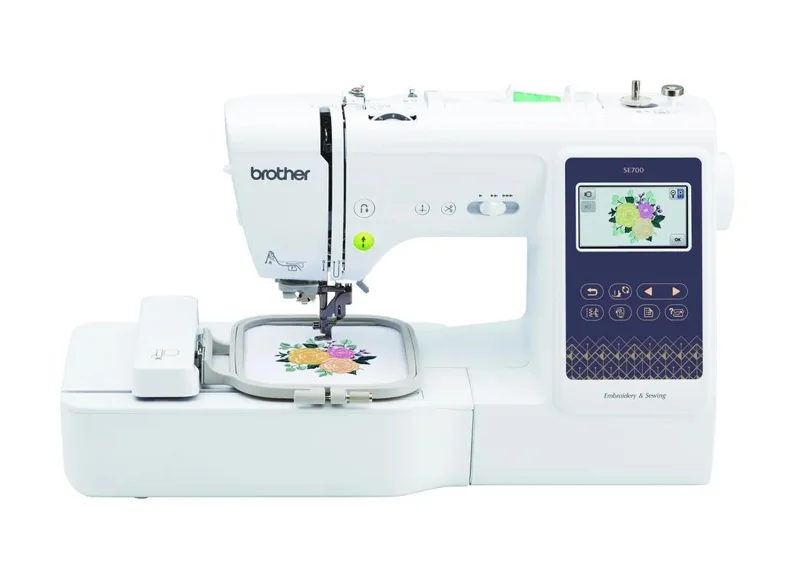
Our verdict:
First combination machine
Best for a first combination machine for small motifs and garment sewing.
Check price at SewingmachinesplusKeep in mind: larger designs cannot be stitched in one 4 x 4-inch field.
Buying guides
We may earn a commission from some links on this page.
The short answer
The SE700 suits a first combination machine for clothes and small motifs. Its 4 x 4-inch embroidery field is the main limit; buy the SE2000 instead if a 5 x 7-inch field is essential.
Brother SE700Check price at SewingmachinesplusRead our analysisThe Brother SE700 combines construction sewing and automatic hoop embroidery. It suits someone who wants to try both on one desk. This is a review of published specifications and the exact catalog package.
Our verdict:
First combination machine
Best for a first combination machine for small motifs and garment sewing.
Check price at SewingmachinesplusKeep in mind: larger designs cannot be stitched in one 4 x 4-inch field.
The SE700 uses a 4 x 4-inch embroidery field. Check Brother's current included-accessory list; extra accessories do not increase that field.
Brother lists 103 sewing stitches and 135 embroidery designs, with a color touch screen and wireless design transfer. Use ordinary sewing mode for construction seams, and fit the embroidery unit and appropriate setup for designs in a hoop.
The combination is useful when a small motif is one stage of making a garment. It also means setup changes when you switch jobs. If you already own a sewing machine, an embroidery-only model may make more sense than duplicating that function.
A design must fit inside the 4 x 4-inch stitching field for one placement. A physically larger accessory hoop does not change the machine's travel limit. Splitting a design into placements is a separate alignment task; it is not the same as using a larger-field machine.
Before ordering, choose two or three designs you want to stitch and check their finished dimensions. This is a more useful starting point than counting how many built-in motifs come with the machine.
The SE700 fits small names, motifs and a beginner's combination workflow. Allow for practice fabric, stabilizer and thread. Automatic embroidery motion still depends on correct hooping and tension setup.
The recommendation rests on the listed functions and field size, rather than a performance comparison.
The SE2000 combines sewing with a 5 x 7-inch field. That is a concrete reason to choose it for larger rectangular designs. It does not establish better stitch quality. See our beginner embroidery comparison for embroidery-only alternatives too.
Choose the SE700 if your designs fit 4 x 4 inches and you need ordinary sewing as well. Move to a larger-field model before buying if the projects you already have in mind will not fit.
Our verdict:
Check the SE700 accessory package
Best for a first combination machine for small motifs and garment sewing.
Check price at SewingmachinesplusKeep in mind: larger designs cannot be stitched in one 4 x 4-inch field.
Return to machine buying guides or the sewing machine section.
Yes. It is a combination sewing and embroidery machine with 103 built-in sewing stitches.
A larger accessory hoop does not enlarge the maximum 4 x 4-inch stitch field. Larger work may require multiple placements.
No. A design still needs a compatible embroidery format. Creating stitch files from artwork is a separate digitizing task.